

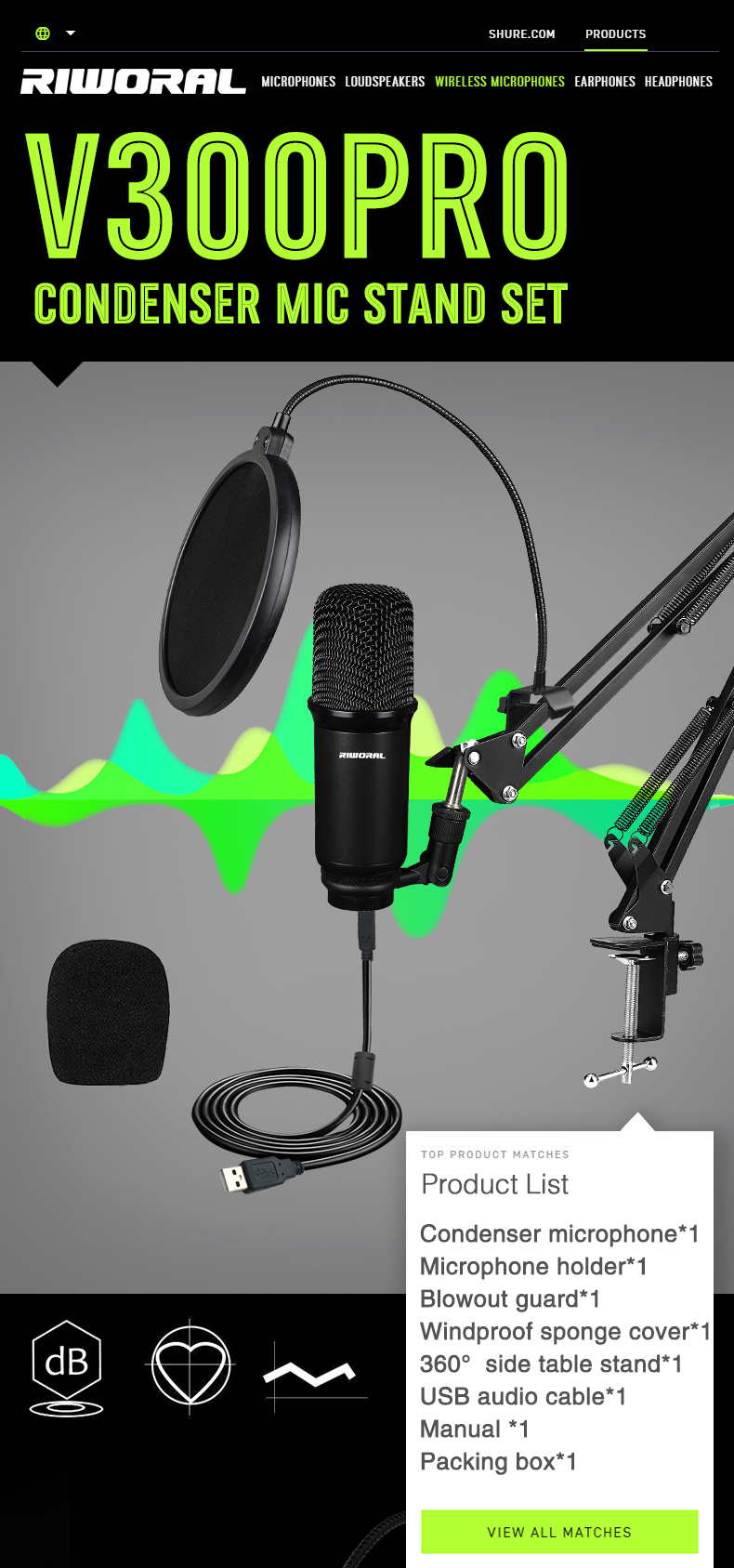
V300 PRO Boom Arm Studio Condernser Microphone Kit with Pop Filter
Product number:V300 PRO
零售价
市场价
Usage:
1. Open your amplifier or mixer and set the volume control to the lowest position. Connect the phantom power supply to the microphone, turn on the phantom switch, and adjust the volume control from low to high, thus achieving a medium effect
2. If the dead corner of the microphone is covered or close to
Loudspeakers, which may generate whistling. To prevent this, first reduce the volume, and then place the microphone at a sufficient distance between the microphone and the speaker.
3. The sensitivity of the microphone is very good. Do not fall, hit or smear it forcibly to shock it.
4. To maintain the sensitivity and quality of sound reproduction, avoid exposing it to humidity and extreme temperature
重量
kg

- Product description
-



 Keywords:
- Audio Interface
Get in touch with us
We believe in the power of sound.
Contact Us
Room 407, Building 1, No. 134, Fuxing Road, Pinghu, Hehua Community, Pinghu Street, Longgang District, Shenzhen.
Riworal Audio
Sign up for exclusive offers and updates!
Connnect with us!


